
Template variables, Python scripting, and a stream history viewer
Environment-scoped template variables, Python scripting, a 24-hour stream history viewer, rebuilt code editors, Japanese localization, and Schema Query out of experimental.
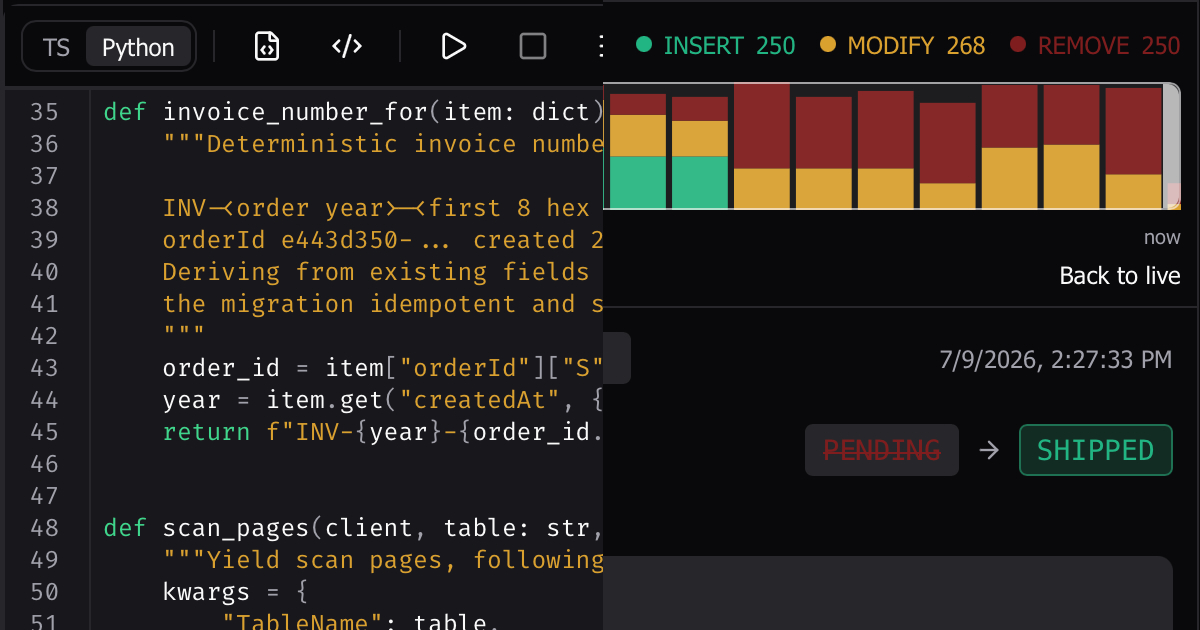
Template variables, Python scripting, and a stream history viewer
This is the biggest Dynomatic release yet. Environment-scoped template variables land across the whole app, scripts can now be written in Python, streams get a 24-hour history viewer, Schema Query leaves the experimental gate, every code editor has been rebuilt on a new engine, and the entire interface is available in Japanese.
Environments and template variables
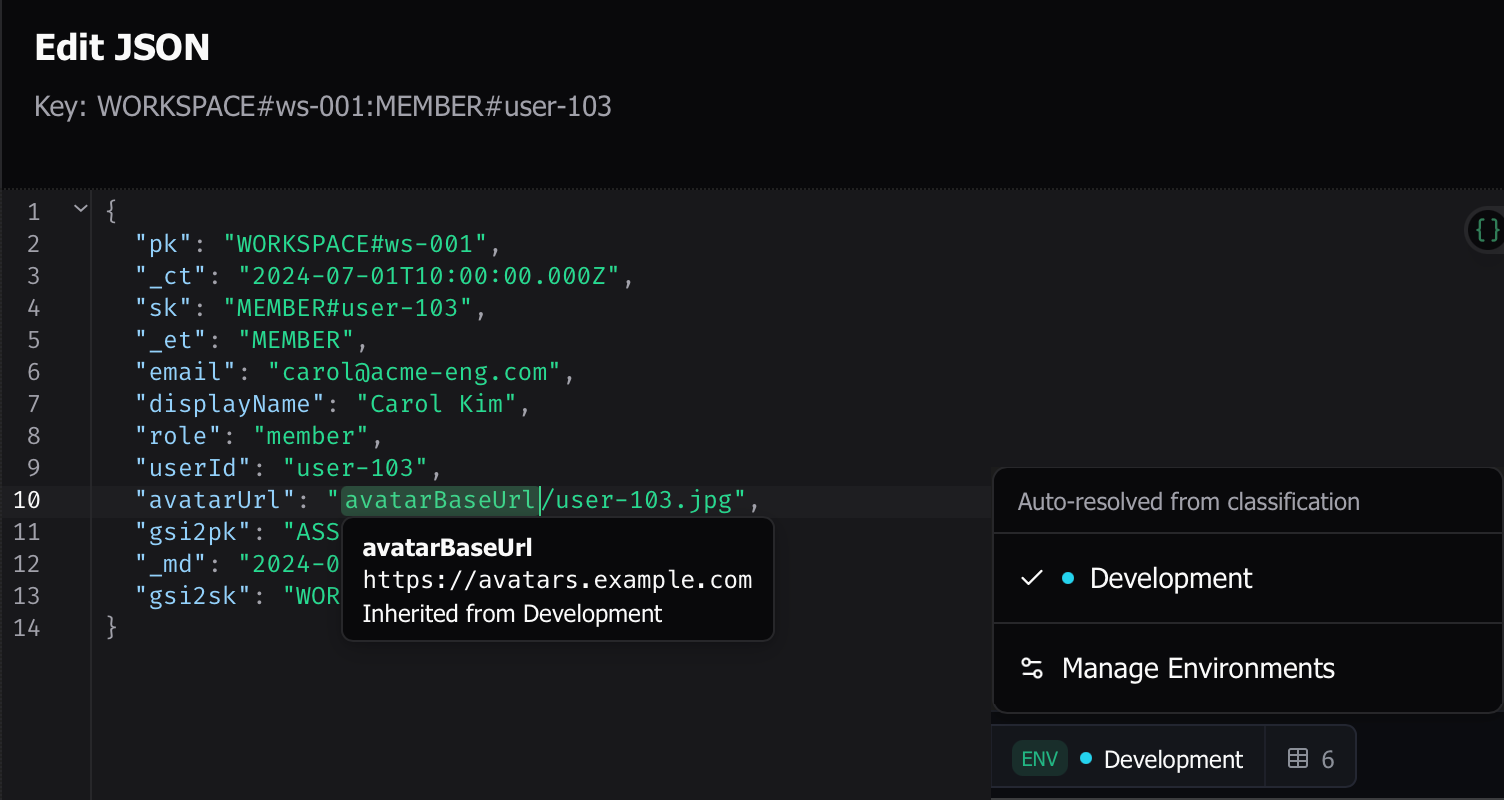
Define values like table names, key prefixes, and tenant IDs once, then reference them anywhere with {{variable}} syntax: in the item JSON editor, PartiQL statements, TypeScript and Python scripts, and Schema Query key and filter pills. Variables live in environments (global or per-workspace tiers), and a new switcher in the status bar controls which environment is active. Pin one explicitly or let Dynomatic resolve it automatically. Values render at execution time, so the same query or script runs against dev, staging, or production data just by switching environments.
References render as chips in every editor, with live previews of the resolved value. Secret variables are encrypted at rest, a small function library handles transforms like uppercasing and lowercasing, and values used in key positions automatically pick up your schema’s key casing.
Python scripting
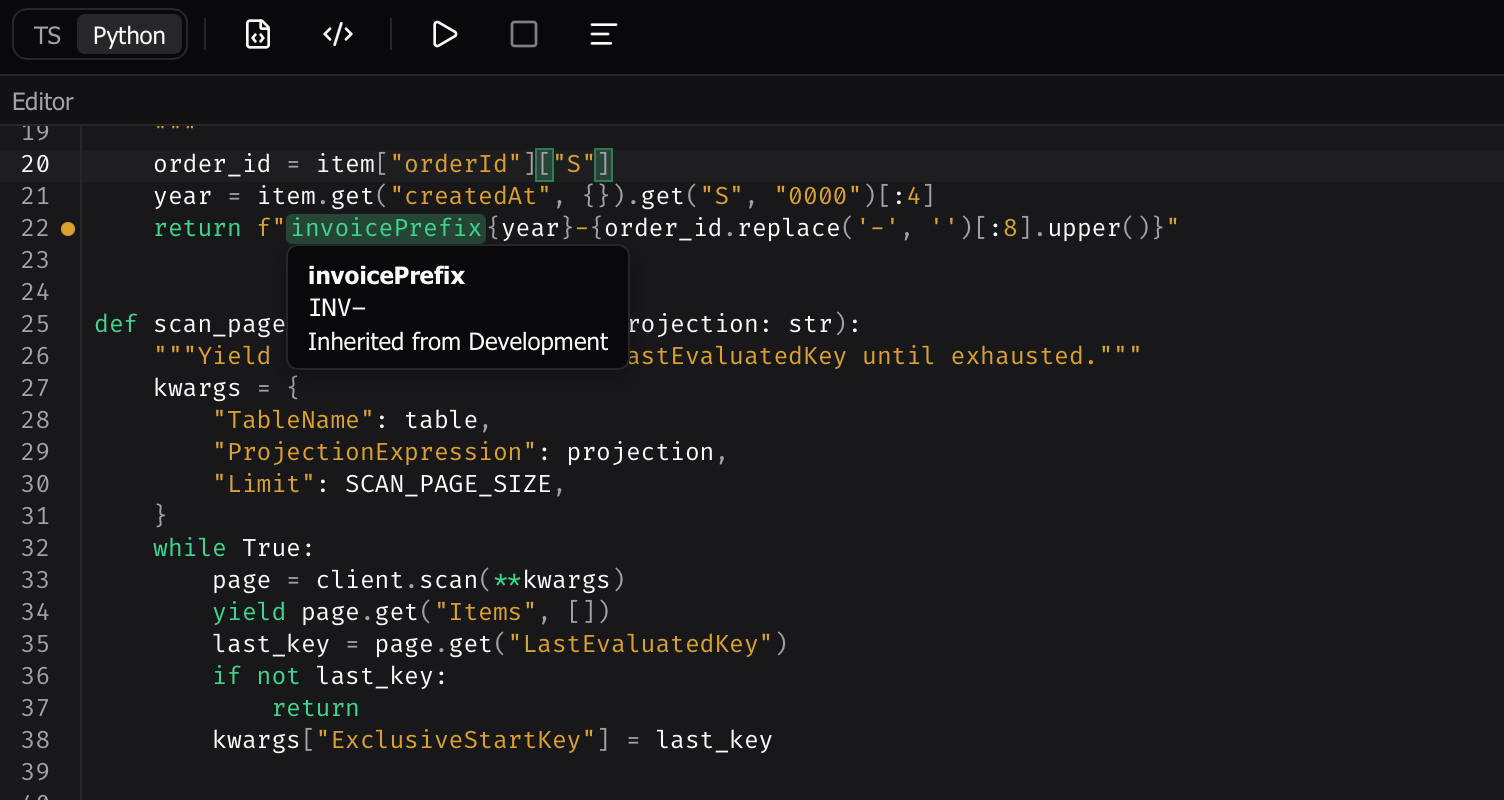
Scripts can now be written in Python as well as TypeScript. A language toggle in the script editor keeps a separate buffer per language, and saved scripts remember which language they were written in. The Python client mirrors the familiar API (client.query(...), client.get_item(...)) with the table name filled in automatically.
The interpreter is embedded in the app and fully sandboxed: no Python installation required, no file or network access from script code, and Cancel works even on a runaway loop. The editor backs it up with Python diagnostics, formatting, and completions.
Stream history viewer
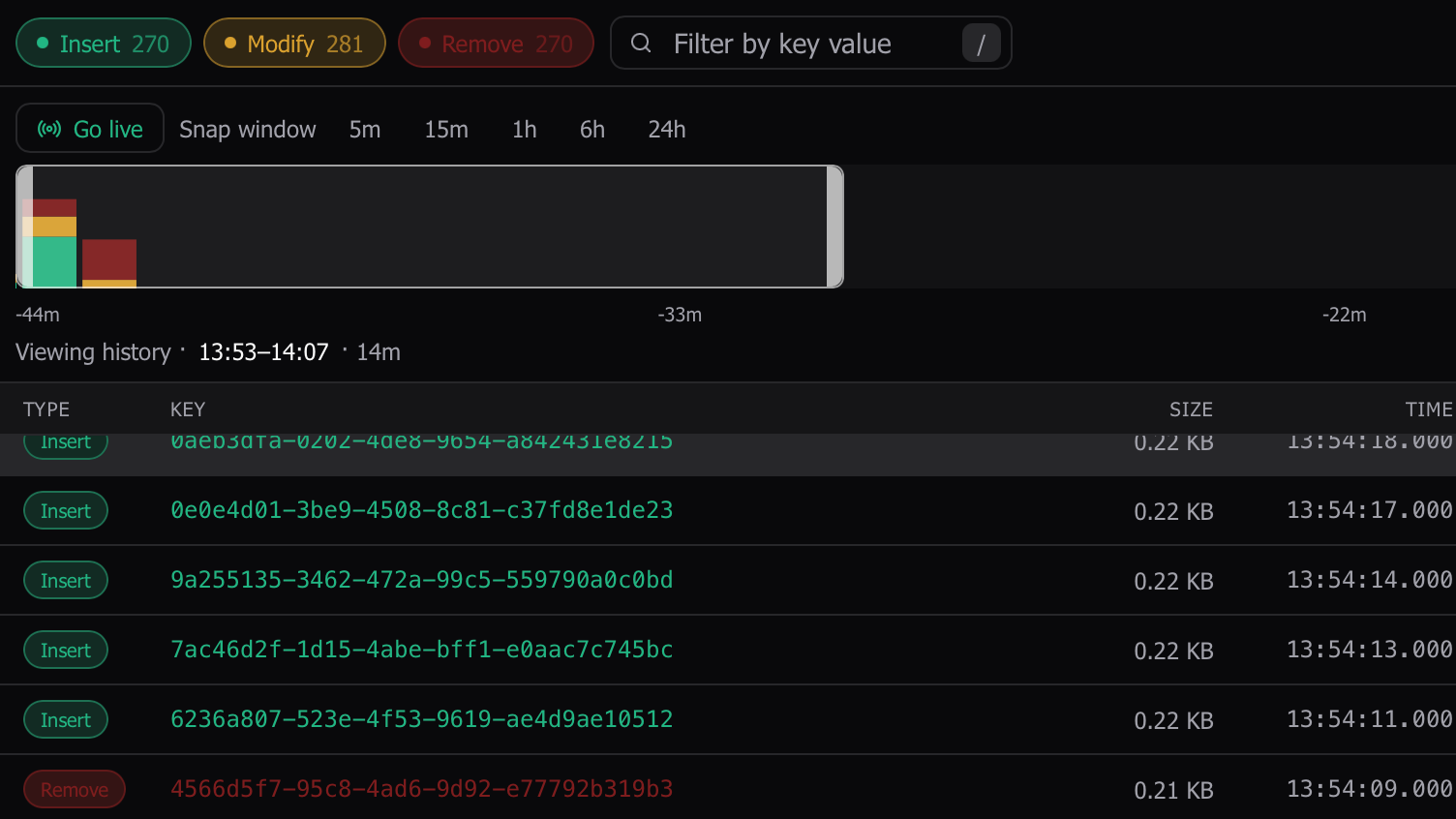
Live stream tabs gain a View history mode that lets you scrub back through everything your DynamoDB Stream still retains, up to 24 hours. A histogram timeline shows activity over the window; click anywhere to jump to that slice and page through the records, which load progressively into a local cache. Hit Go live to snap back to the live tail, and the history view tidies itself away when you leave the tab.
Schema Query leaves experimental
Schema Query (SAQ) no longer hides behind the experimental toggle; it’s a first-class feature. It also picked up a batch of upgrades this release:
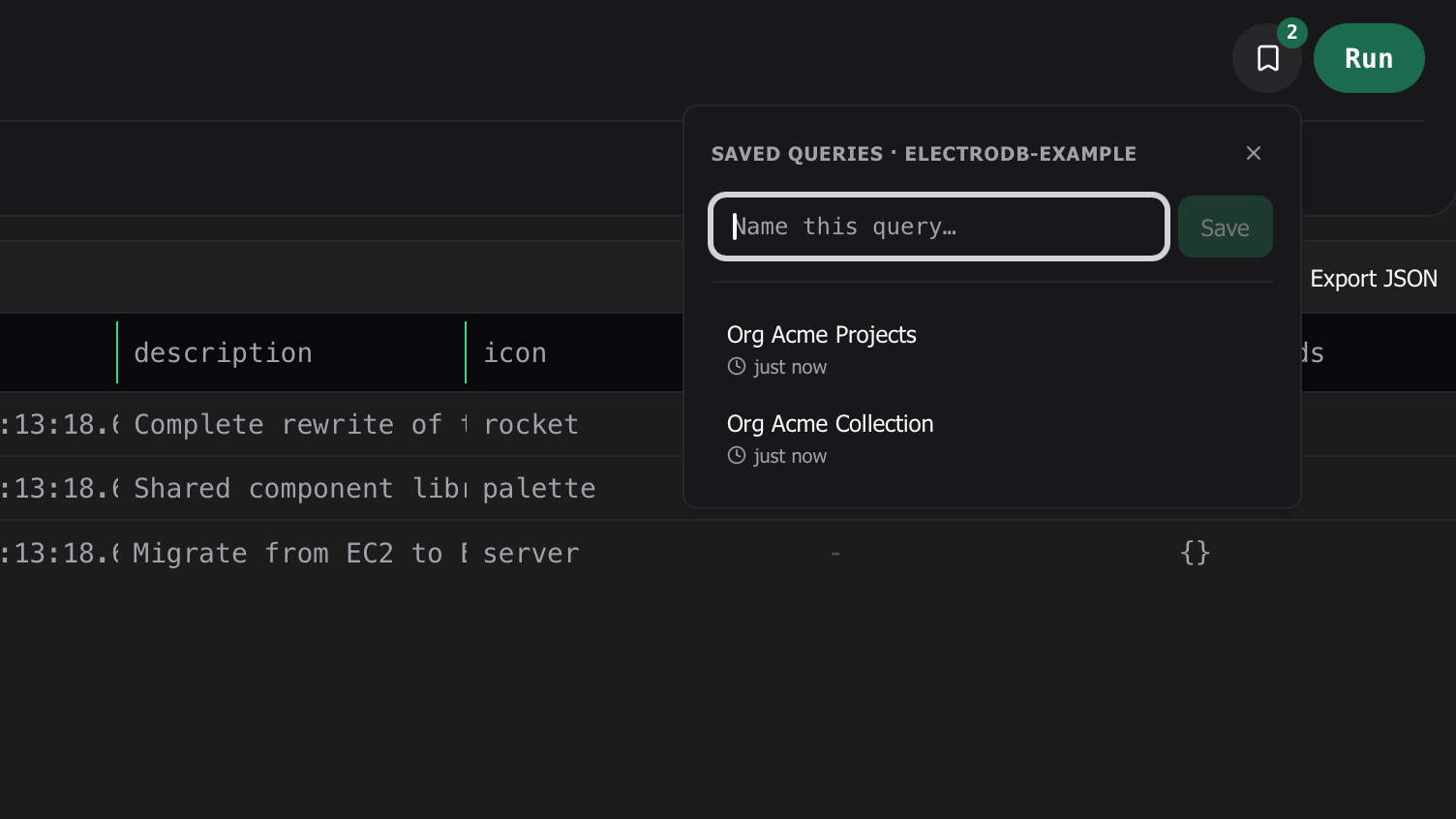
- Saved queries: save an entity or collection query and reload it later from a bookmark popover next to Run.
- The dashboard now surfaces your saved Schema Query queries and recently used schemas.
- Results now stream in with load-more paging instead of arriving in one block, and runs are recorded in command history with their own badge.
- Adding a filter auto-opens the pill popover with focus in the value field, so you can type immediately.
- Schema import now handles factory-style entity definitions (a function that takes config and returns the entity), which previously failed with “No entity definitions could be extracted”.
PartiQL statements explain themselves
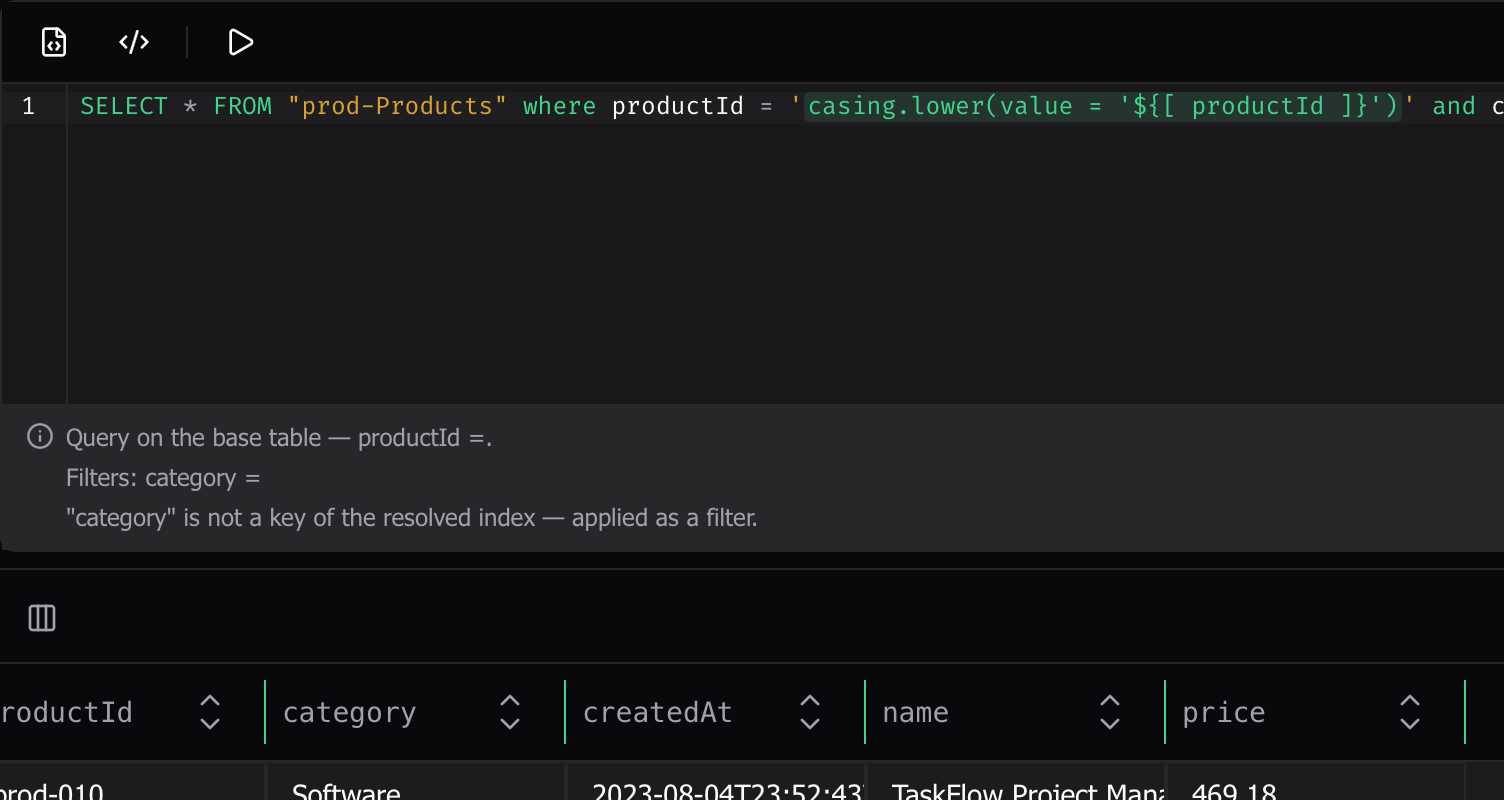
As you type a PartiQL statement, an advisory strip below the editor now tells you what it will actually do before you run it: Query, GetItem, or full Scan, which index it resolves to, and which conditions count as key conditions versus filters. A statement that falls back to a full table Scan gets a clear warning, escalated to red when the workspace is a production environment. It’s advisory only; nothing blocks execution.
Rebuilt code editors
Every code editor in the app (item JSON, scripts, PartiQL, query expressions, script output) now runs on a new, much lighter editor engine. TypeScript editing keeps full language support (completions, hover info, diagnostics), Python gets diagnostics, formatting, and completions, and template variable chips work consistently everywhere, including via the keyboard. Editors follow the app theme and your editor font setting, and dropping the old engine makes the app noticeably leaner.
Dynomatic in Japanese
The entire interface is now available in Japanese. Pick a language under Settings → General. The default System option follows your OS locale, or choose 日本語 or English explicitly. More languages are on the way.
A more consistent look
This release also ships a top-to-bottom design pass: colors, typography, and spacing now come from one shared system, surfaces settle into calm neutrals with a single green accent (the rainbow of sidebar icon colors is gone), and light/dark theming is consistent everywhere, including inside the code editors and notifications.
A new way to sign in to AWS, plus a pair of scripting fixes.
- AWS Login credential type: connect workspaces using the AWS CLI’s browser-based sign-in (
aws login), including passkey-backed authentication. Pick an existing sign-in profile from~/.aws/configor let the CLI create one on first sign-in. Dynomatic tracks the session in the status bar and prompts you to sign in again when it ends. Requires AWS CLI 2.32.0 or newer. - Editor theme picker in the scripting toolbar: switch your code editor theme right from the script editor instead of digging into Settings. Your choice applies to the current light or dark appearance and follows the app theme automatically.
Safeguards for key edits and script writes, PartiQL upgrades, and a pair of fixes.
- Key editing is now locked by default: partition and sort key values, including GSI and LSI keys, are read-only on existing rows, so a stray double-click can’t quietly rewrite an item’s identity. Key columns show a lock icon in their headers, and the same guard applies when editing an item as JSON. Turn the lock off globally in Settings, or override it per table.
- Scripts that write to DynamoDB now ask first: running a script containing write operations (put, update, delete, batch or transact writes) opens a confirmation listing the detected operations and the target workspace. Against a production workspace the dialog escalates to a stronger destructive confirmation. Read-only scripts run immediately, as before.
- PartiQL statements are linted as you type: quoting mistakes, like double quotes around a string value or single quotes around an attribute name, get inline warnings with a one-click fix. Attribute and table names that don’t match the bound table are flagged too, and unterminated quotes or unbalanced parentheses block Run with the reason shown right on the button.
- PartiQL leaves experimental: the PartiQL tab no longer hides behind the experimental toggle and is available out of the box on plans that include it.
- Selecting text in a key, filter, or variable pill input that’s wider than the field no longer smears the glyphs or leaves the last visible character unhighlighted.
- Binary attributes keep their Binary type when an item is viewed or saved in plain JSON mode; previously they could come back as strings.
- Dynomatic has a refreshed app icon.
The sample workspace gets a rework, with guided tours for each page, more seeded data, and a second sample schema.
- Sample mode rework: the single four-step Get Started checklist is replaced by guided tours that follow you around the app, with a floating per-page panel, “Show me” spotlights, and overall progress on the sample pill. The workspace arrives with more to explore: seeded command history, favorites and recents, saved queries, PartiQL scripts, and runnable examples, a sample table with streams enabled and real records flowing through the Streams view, and a second Commerce sample schema (a DynamoDB-Toolbox-flavored e-commerce single-table design with its own 122-item dataset). Reset Sample Data now clears and re-seeds in place without dropping you out of sample mode, and Reset, Exit, and View log live in one menu on the pill.
- Copy to Table across workspaces: copying rows into a table in another workspace now uses that table’s credentials, so the write reaches the right account, and any failure raises an error toast while keeping your row selection so you can retry.