
Getting started
Introduction
What Dynomatic is, who it is for, and where to go next in these docs.
Dynomatic is a native desktop client for AWS DynamoDB. It is built for developers and DevOps engineers who want a faster, keyboard-driven alternative to the AWS console, and it runs on macOS, Windows, and Linux.
What you can do
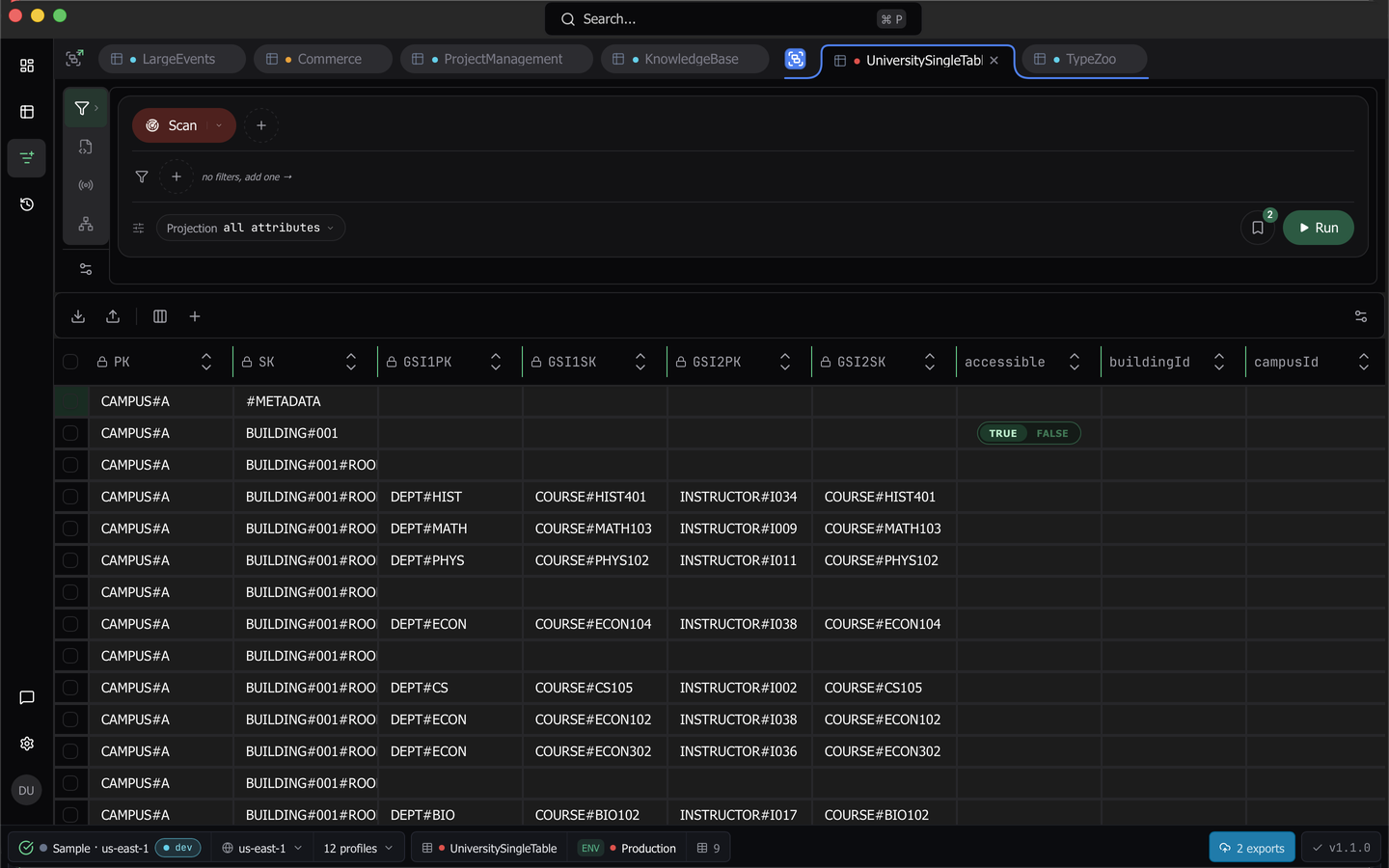
Dynomatic connects to the AWS profiles you already have in ~/.aws, or to profiles you create in the app, and opens each table in its own query tab.
- Build Query and Scan operations from pills instead of writing key condition and filter expressions.
- Edit items in the grid, review every change in a pending-changes panel, then commit.
- Write PartiQL by hand when the builder is not the right tool.
- Run TypeScript and Python scripts against your tables inside a sandbox.
- Watch a table’s DynamoDB stream live, or scroll back through its history.
- Infer a single-table design from real items, then query by entity and access pattern.
- Import and export items as files, to the clipboard, or to S3.
- Create vector indexes, generate embeddings, and run vector searches.
What runs where
Everything Dynomatic knows lives in a single SQLite database on your machine. Credentials go to the OS keychain, item data is never uploaded, and there is no third-party crash reporting. The app contacts app.dynomatic.io for two things only, the update check and the sign-in or trial verification tick. See Security and data for the full accounting.
Try it without an AWS account
If you want to see the app working before you point it at real data, Sample mode spawns a local DynamoDB-compatible database, seeds it with tables, saved queries, scripts, schemas, and command history, and lifts every plan gate for the session. No AWS account and no credentials are involved.
Where to go next
- Installation covers downloads, install steps per platform, first launch, and auto-update.
- Dashboard is the landing page and the map of your workspace.
- Visual query builder is where most of the work happens.
- Data model inference reads your items and proposes entities, collections, and access patterns.
- Scripting runs TypeScript and Python against your tables.
- Streams viewer tails and replays a table’s change stream.
- Import walks a file into a table, field by field.
- Vector indexes covers creating and deleting vector indexes.
- Template variables explains the
${[ var ]}syntax and variable environments. - Settings documents every settings pane.
Last updated on