
Pill-based filters, pinned data-table columns, and query icons
A new pill-based filter expression builder lands as the default, the data table now pins the select and status columns during horizontal scroll, and queries gain operator and DynamoDB type icons.
Pill-based filters, pinned data-table columns, and query icons
A meaningful UX release. The filter builder gets a long-overdue rewrite, the data table stops shifting around when you start editing, and queries pick up operator and type icons that make scanning the builder a lot easier.
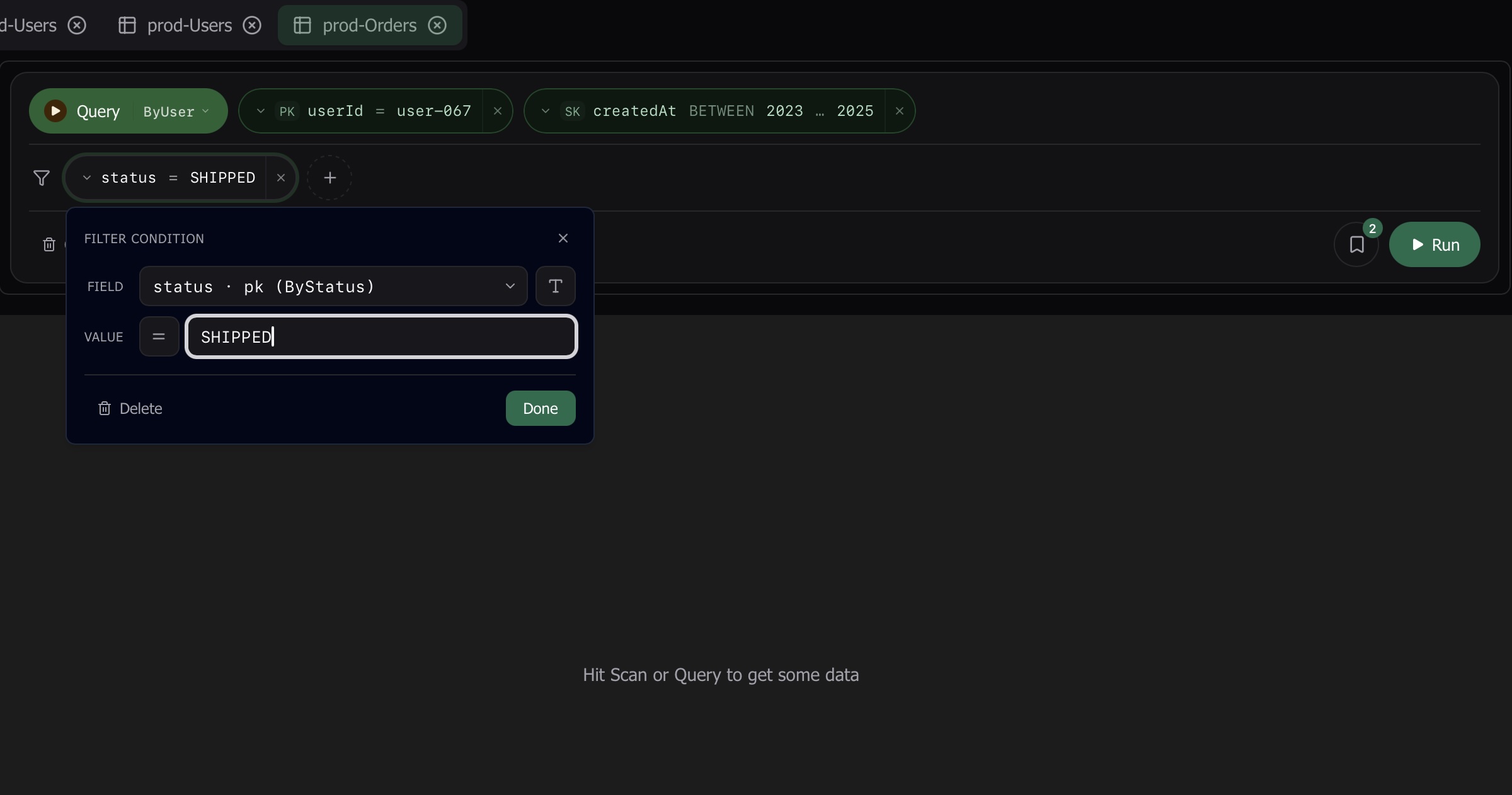
New pill-based filter expression builder
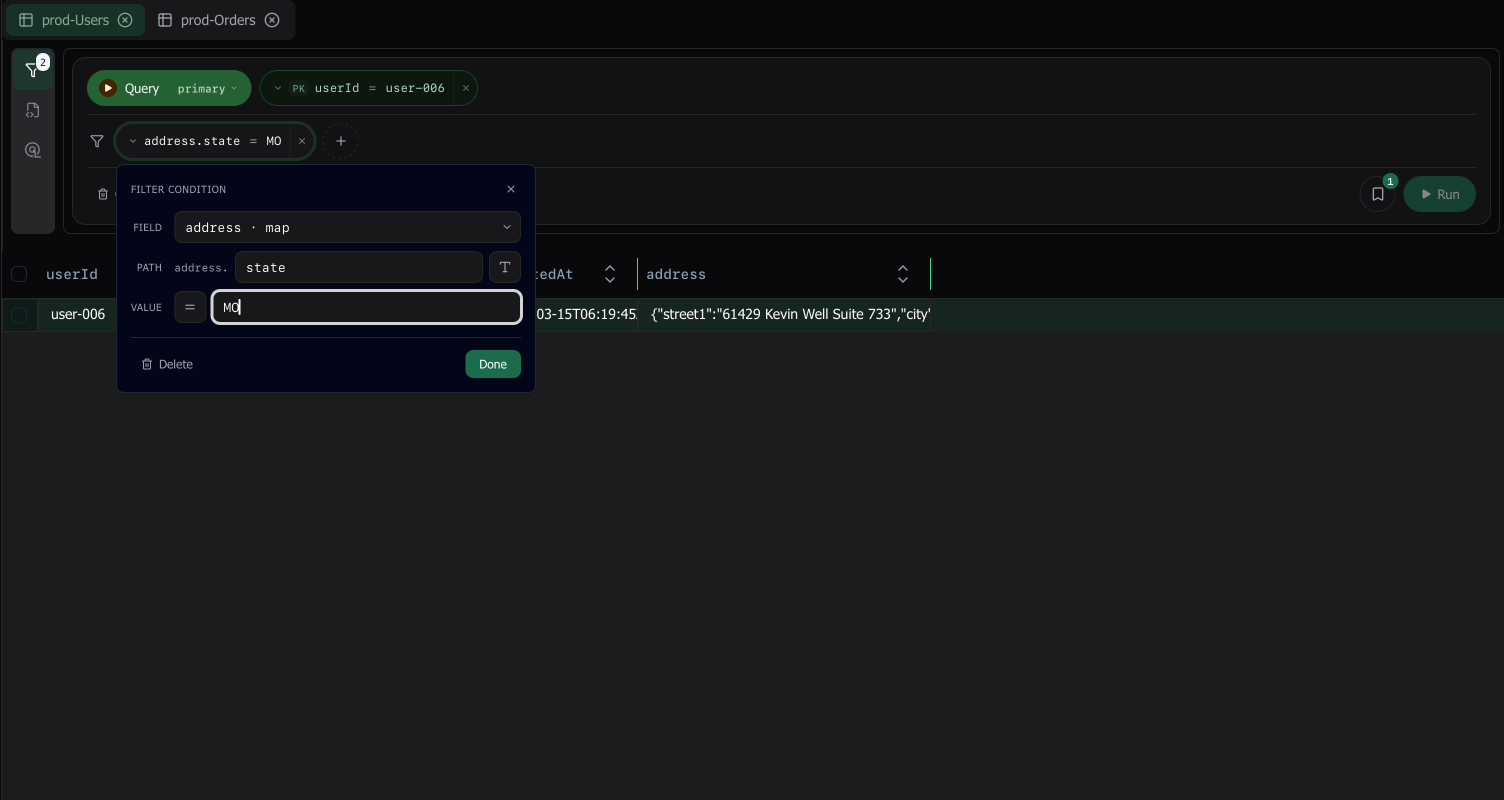
The expression builder has been rebuilt around pills — each filter clause renders as a self-contained pill (field · operator · value) that you compose in line, instead of the old multi-row form. Building, editing, and reordering filters is now a left-to-right reading experience, and the new builder is the default for everyone.
Data table: pinned control columns and faster cell editing
Three improvements to the data table that you’ll feel constantly:
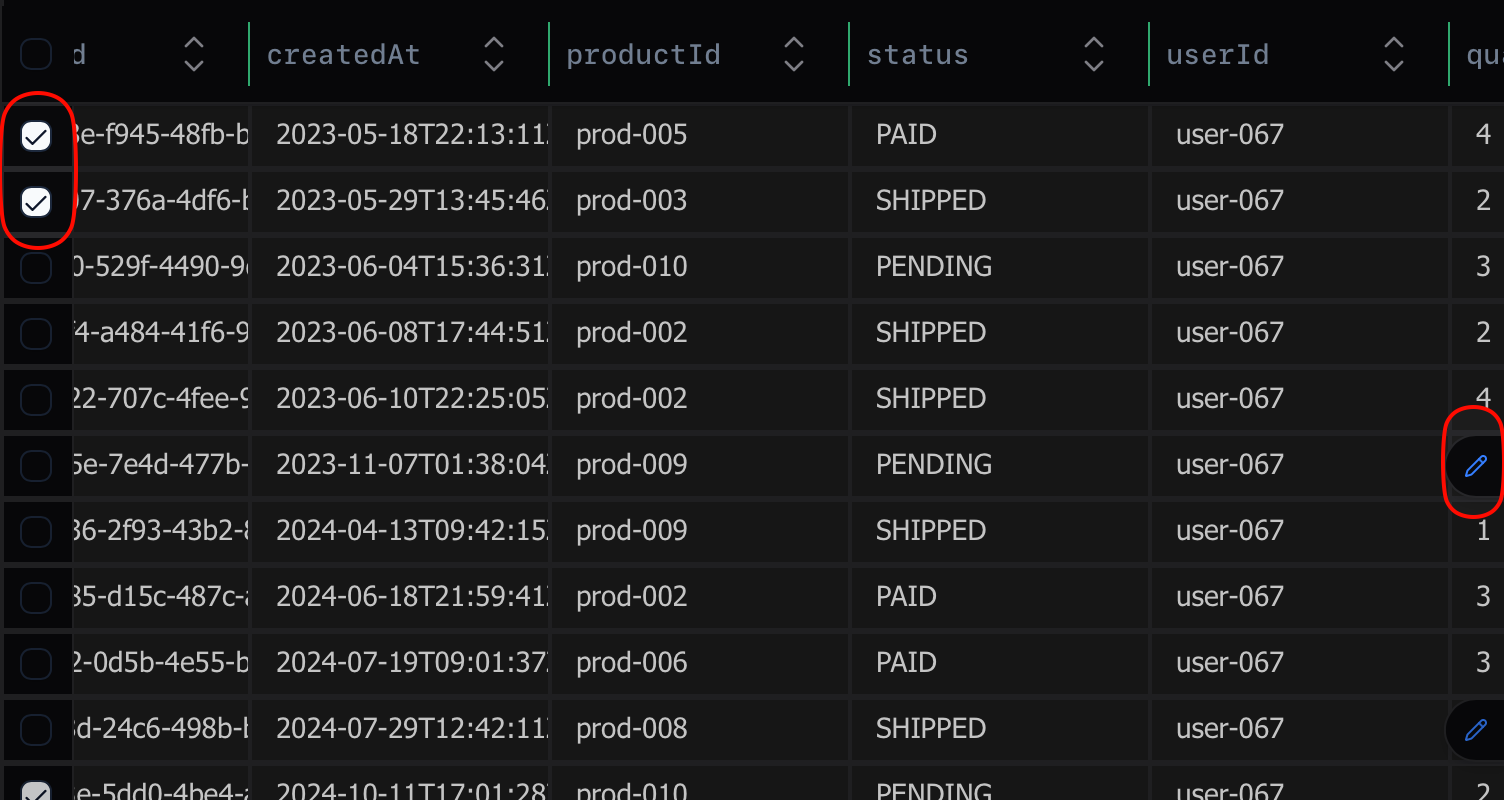
- The select checkbox column and the row status column are now pinned to the left edge of the table. Scroll horizontally as far as you like — those two columns stay put.
- The row-status column slot is always reserved (32px), so the table no longer shifts sideways the moment you start editing a cell.
- Editing a cell now shows a revert affordance, so you can undo a single in-progress edit without abandoning everything else.
- Boolean cells get a pill editor — toggle between
trueandfalsewith a single click instead of typing the values out.
Operator and type icons in queries
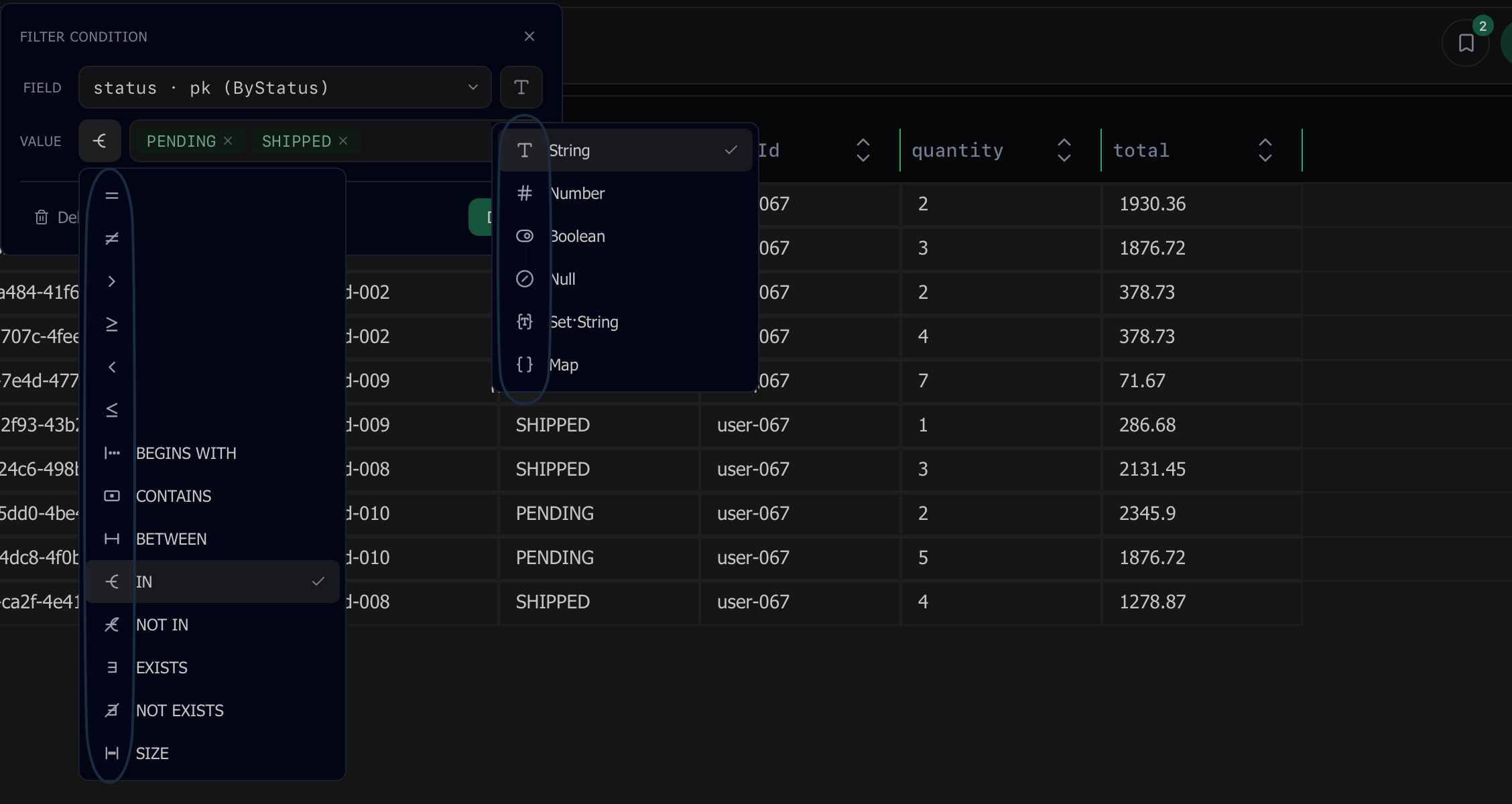
The query builder now shows icons next to each operator (equals, contains, between, in, exists…) and next to each DynamoDB type (S, N, B, BOOL, L, M, SS, NS, BS). The operator icon makes the active filter readable at a glance; the type icon clarifies what kind of value the field expects when you’re picking an operator.
Other improvements
- Updates: clicking Check for updates after dismissing an available update with Later now reopens the update dialog instead of silently doing nothing.
- The update dialog now includes a link to the changelog, so you can read what’s new without leaving the app.
- Auto-update: clicking Download now refreshes the download URL at click time, so updates that have been waiting on screen for hours install cleanly instead of failing silently.
- Auto-update: download failures now surface in the dialog with a Retry button instead of leaving the dialog stuck in an indeterminate state.
- Hybrid cell editor: long string values wrap and grow vertically instead of stretching the popover off-screen, with the same fix applied to the binary editor.
- Hybrid cell editor: spell-check, autocorrect, and autocapitalization are now disabled in the inline String / Number / Binary editors (and their array variants) — no more red squiggles or auto-capitalized first characters on field values.