
A redesigned Schema Aware Query builder, collection queries, and S3 exports
A redesigned pill-based query builder, queries across an entire collection, one-click table exports to S3, a custom title bar on Windows and Linux, and table cloning across workspaces.
A redesigned Schema Aware Query builder, collection queries, and S3 exports
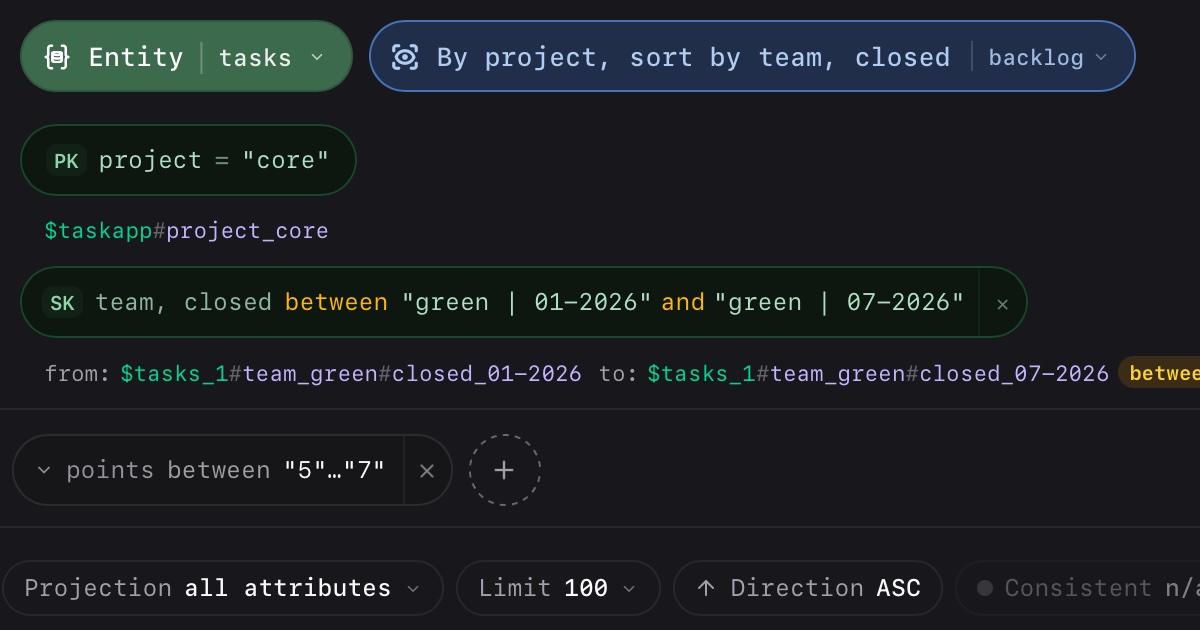
0.9.1 reshapes how you build and run queries. Schema Aware Query (SAQ) — the query builder — is now a compact, pill-based bar; you can query an entire collection in one shot and read the results grouped by entity; and you can push a whole table to S3 without leaving the app. Windows and Linux also get a proper custom title bar, and you can now clone a table’s schema into another connected workspace.
A faster, pill-based Schema Aware Query builder
Schema Aware Query (SAQ) — Dynomatic’s query builder — has been rebuilt around a compact pill bar. Instead of stacked form rows for the source, partition key, sort key, filters, and options, each part of the query is now an inline pill you click to edit. Filter operators are gated to the attribute’s type, so you only see operators that make sense for the field, and a dashed + affordance lets you add a sort-key condition only when it applies. The collapsible JSON preview is still there when you want to see the exact query being sent.
Query an entire collection at once
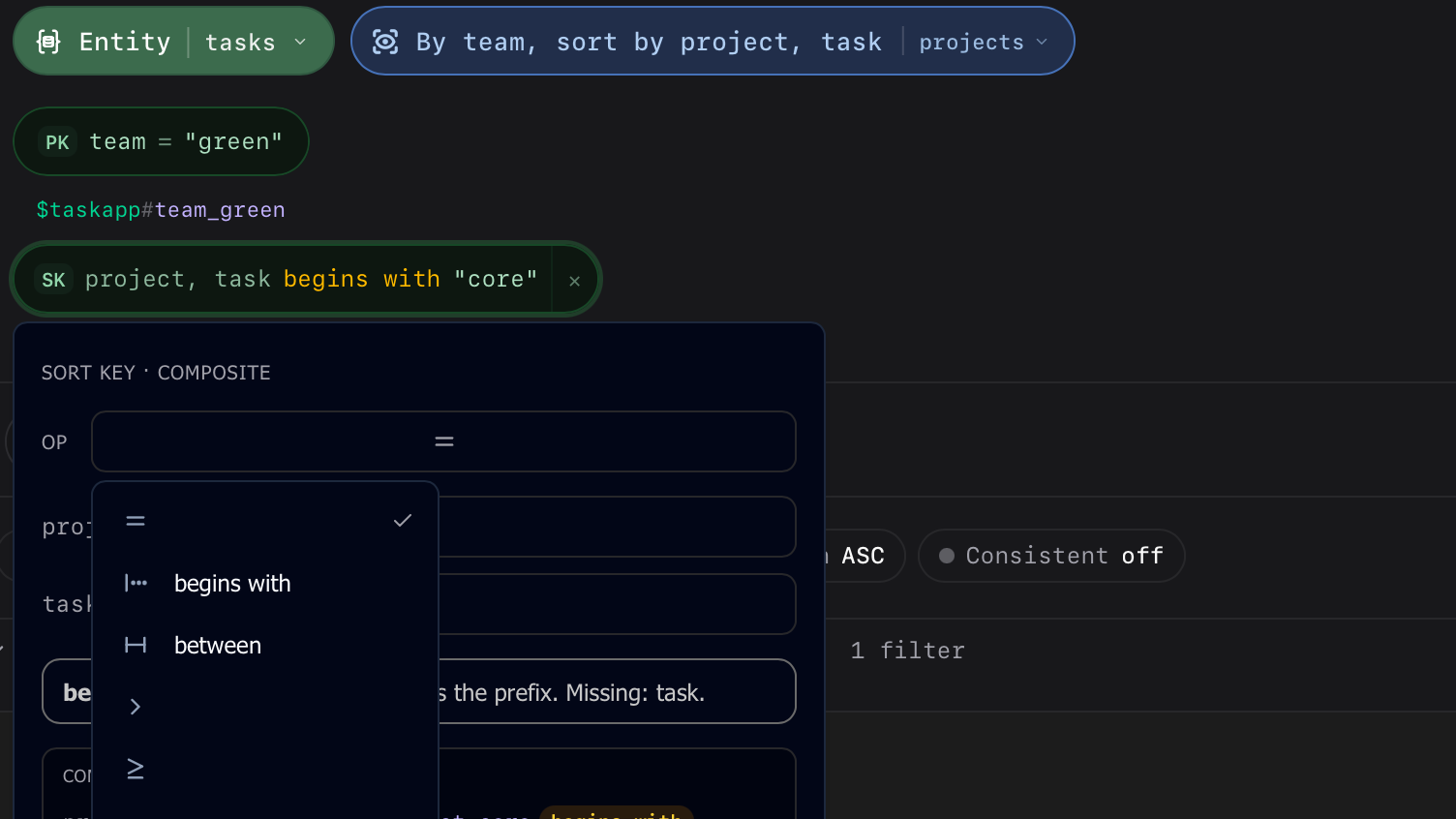
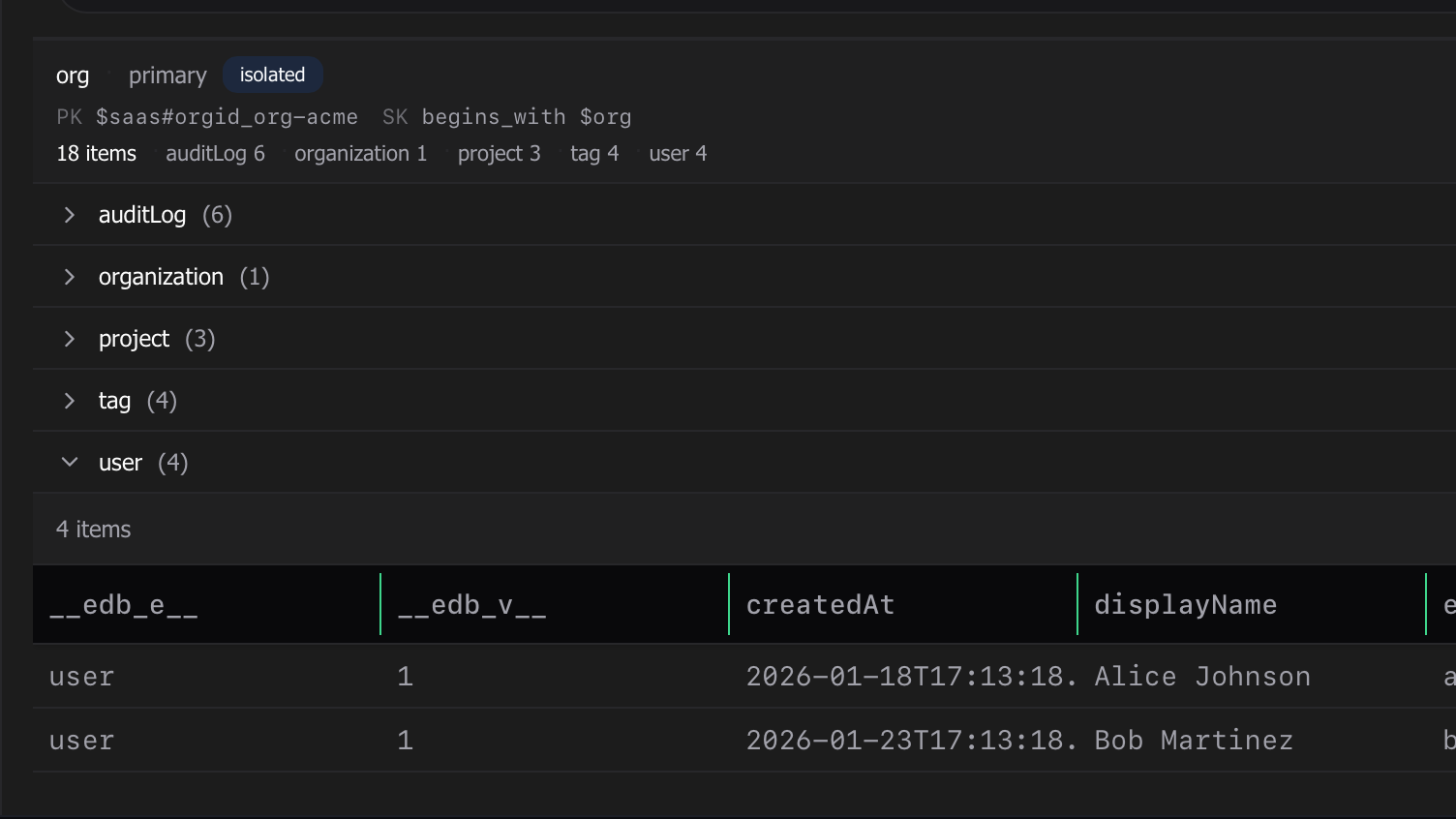
The query picker now treats a collection as a peer of an entity. Pick a collection and the builder switches into collection mode, asking only for the partition-key inputs the collection needs (plus an optional sort-key narrowing for clustered collections), then runs a single read-only query across the whole partition.
Because a collection spans several entity types, the results come back grouped into collapsible sections — one per entity, each with its own columns — plus an “Unrecognized” catch-all so no row is ever dropped. Load more pages through the partition and slots new rows into the right sections as they arrive.
Export an entire table to S3
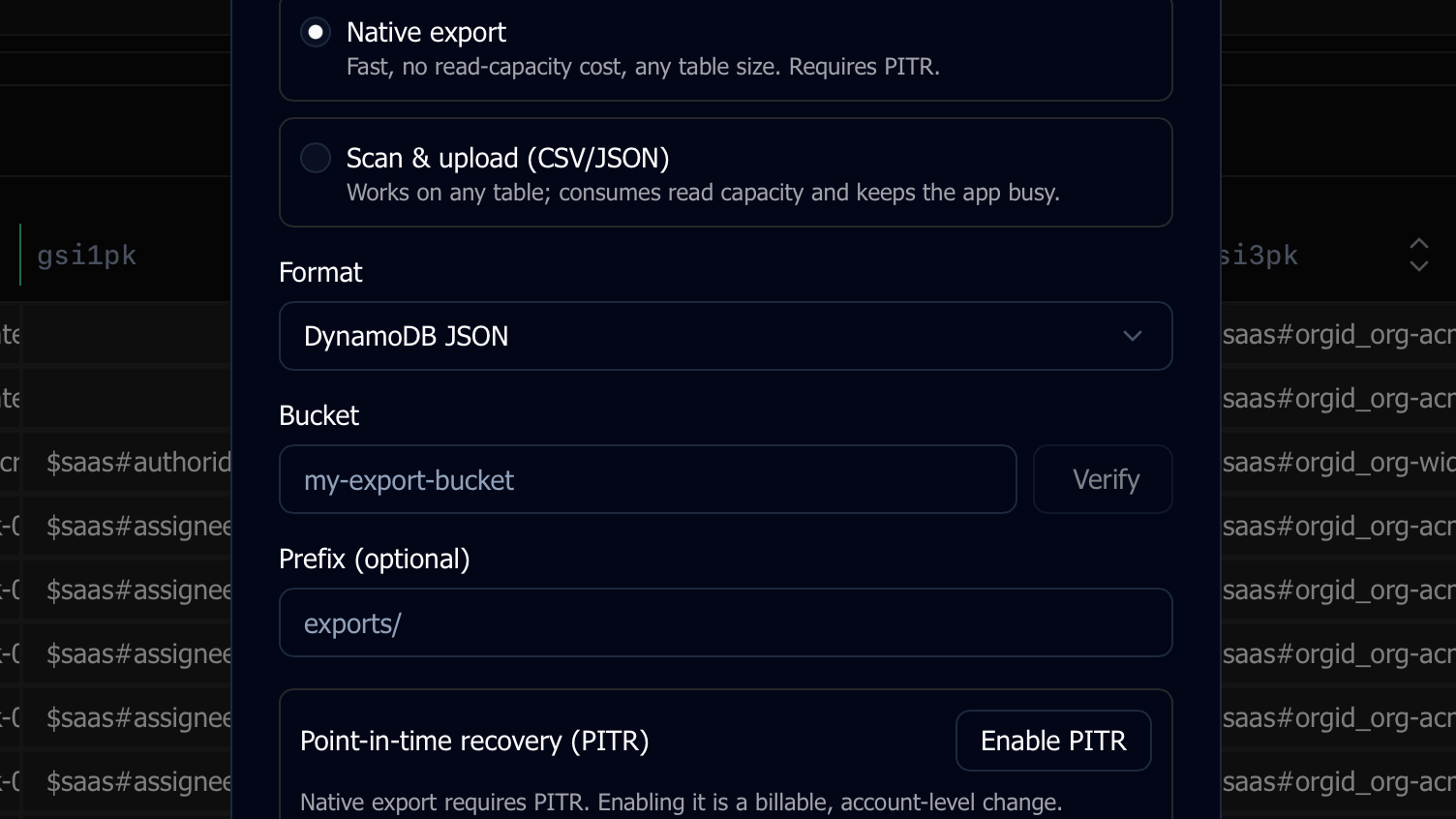
The in-table Export button is now a dropdown: alongside “Export Current Results”, you can Export to S3. Two mechanisms are offered — a native DynamoDB export (server-side, no read-capacity cost, works at any table size when point-in-time recovery is on) and a scan-and-upload that streams the whole table to CSV or JSON and uploads it for you. Enter the destination bucket, and a status pill in the footer tracks the job so progress keeps going even if you close the dialog.
Create a table in another connected workspace
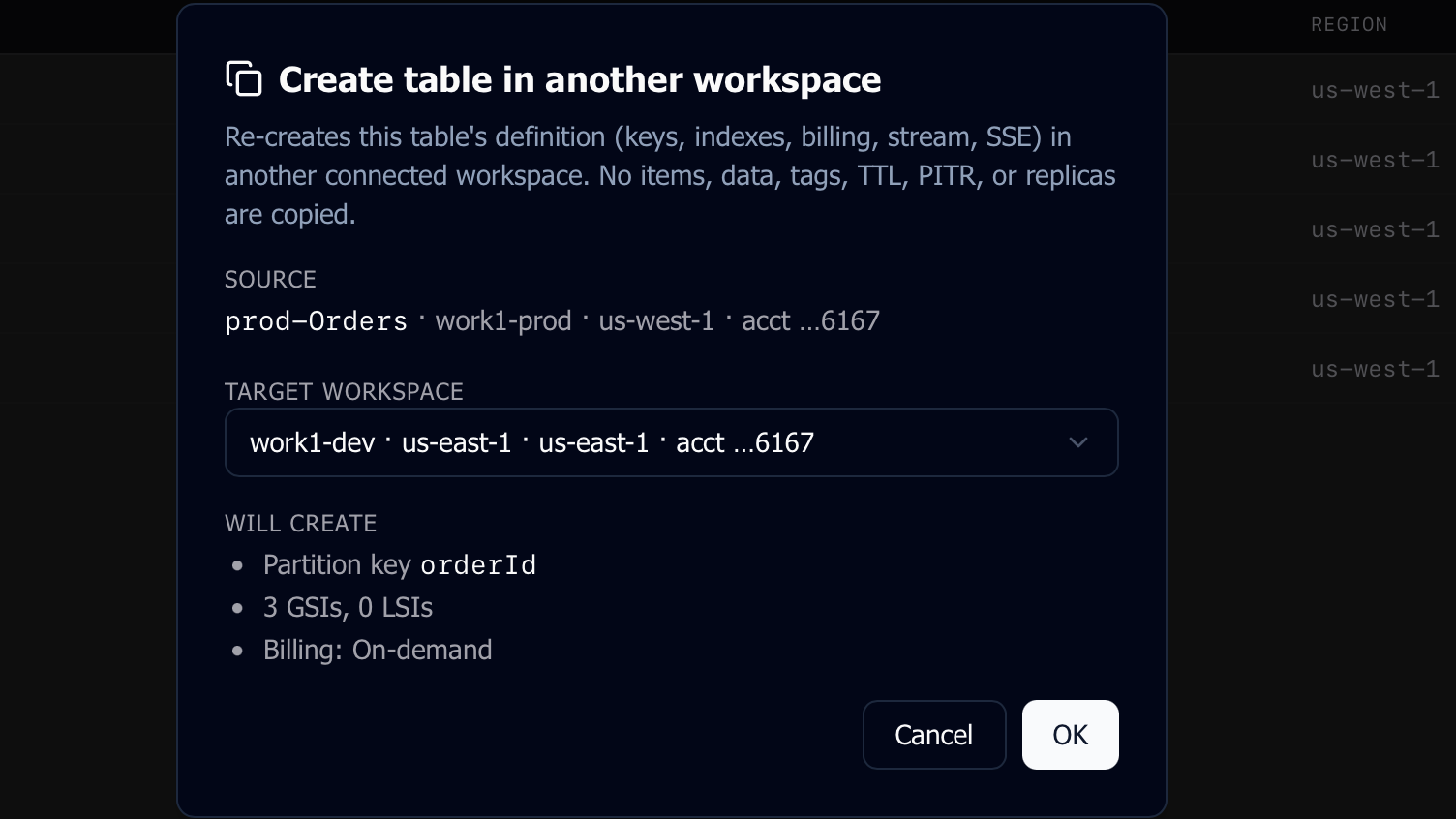
The tables-page menus gain a Create in workspace action that re-creates a table’s schema — keys, attribute definitions, GSIs/LSIs, billing mode, stream/TTL/SSE settings — in another currently connected profile-and-region workspace. A confirmation dialog lets you pick the target and review the details before anything is created. Only the structure is copied (no items, tags, PITR, or replicas), and the same account in the same region is excluded since a table name has to be unique there. Cross-account targets are highlighted so you know when you’re crossing an account boundary.
Other improvements
- Windows and Linux now get a custom title bar — the Dynomatic icon and name on the left, and minimize, maximize/restore, and close controls on the right — instead of the bare native OS bar. macOS is unchanged.
- Schema import from your code now infers collections and captures more access patterns, including ones spread across multiple files, feeding the new collection query experience.
- Pending-changes diffs are now right-aligned with tooltips on values that overflow.
- Focusing a tab that lives inside a collapsed group now expands the group to reveal it.
A patch that brings AND/OR logic to query filters, plus a context-menu fix.
- Filters can now be combined with AND/OR — in both the Schema Aware Query builder and the raw expression editor. Click the connector chip between filter pills to toggle it; AND binds tighter than OR (matching DynamoDB), and parentheses appear around grouped conditions so you can see exactly how the expression evaluates.
- You can now add multiple filters on the same attribute, so conditions like status is “active” OR status is “pending” finally work.
- Keyword operators like begins_with, contains, and between get an amber highlight on filter pills, making them easier to spot among symbol operators.
- Right-clicking a row near the bottom of the window now flips the context menu above the cursor instead of letting it spill offscreen.