
Scripting
TypeScript and Python scripts
Run sandboxed TypeScript or Python against a query tab's table, with a bound DynamoDB client and the rows already on screen.
The Scripting slot in a query tab runs a script against that tab’s table. Reach for it when a Query, a Scan, or a grid edit cannot express what you need, such as a one-off migration, a bulk transform, or a report over more rows than you want to page through by hand.
Note: Scripting is a paid-plan feature.
Open the script editor
To open the editor, click Scripting in the query tab’s rail. It opens on a starter template for the current language, with an output pane below it.
The toolbar carries a TS / Python language switch, a Scripts menu, Insert snippet, Run (Cmd+Enter), Stop, Format (Shift+Alt+F), and an editor theme picker. Each language keeps its own buffer and its own last result, so switching between them loses nothing.
What a script receives
Every script is handed the same three values.
client, a DynamoDB client already pointed at the tab’s workspace, meaning its profile and region.tableNamein TypeScript,table_namein Python, the table the tab is bound to.items, the rows currently loaded in the grid.
The client speaks plain JSON document format, so Key, Item, and ExpressionAttributeValues take raw values rather than typed {"S": ...} attribute values. TableName defaults to the bound table when you leave it out.
${[ variable ]} template tags are rendered into the source before it runs, so a script can carry an environment value. See Template variables.
TypeScript
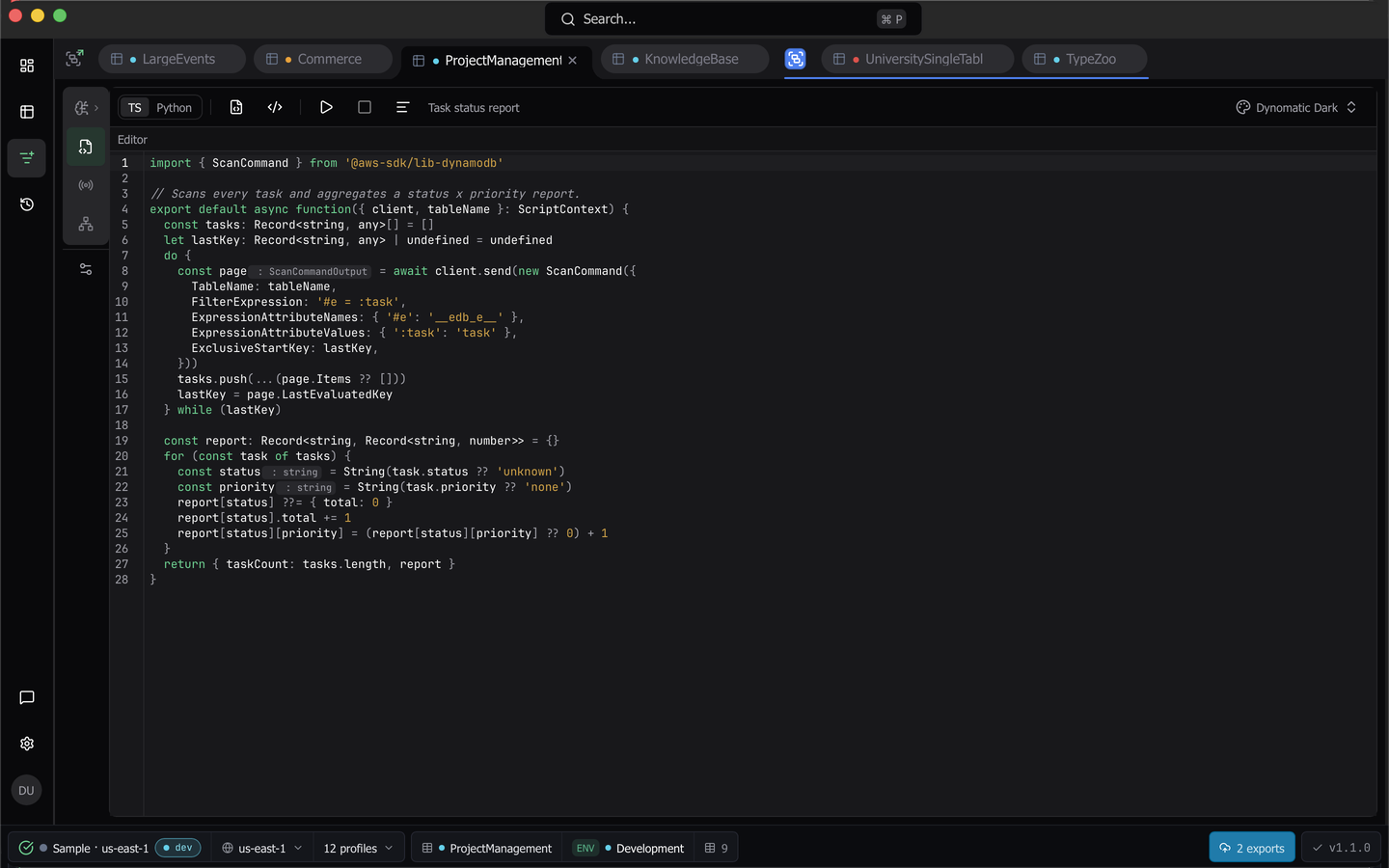
TypeScript compiles through esbuild and runs in a QuickJS sandbox. Export a default async function that takes the ScriptContext object and returns any JSON-serializable value.
Three modules are importable, and anything else throws.
@aws-sdk/lib-dynamodbforGetCommand,PutCommand,DeleteCommand,UpdateCommand,QueryCommand,ScanCommand,BatchGetCommand,BatchWriteCommand,TransactGetCommand, andTransactWriteCommand.@aws-sdk/client-dynamodbforDynamoDBClient, the table-management command stubs (CreateTableCommand,DeleteTableCommand,DescribeTableCommand,ListTablesCommand,UpdateTableCommand), and theReturnValue,Select,KeyType,ScalarAttributeType, andBillingModeenums.@aws-sdk/util-dynamodbformarshallandunmarshall.
import { QueryCommand } from '@aws-sdk/lib-dynamodb'

export default async function ({ client, tableName, items }: ScriptContext) {
  const result = await client.send(
    new QueryCommand({
      TableName: tableName,
      KeyConditionExpression: 'pk = :pk',
      ExpressionAttributeValues: { ':pk': 'USER#001' },
      Limit: 25,
    }),
  )

  console.log(`${items.length} rows were loaded in the grid`)

  return (result.Items ?? []).map((item) => ({ ...item, seenIn: tableName }))
}
IntelliSense is seeded from the attributes Dynomatic has observed on the table, so a value typed as ItemType completes the real field names. console.log, warn, error, and info are captured into the output pane.
The sandbox is not Node. atob, btoa, TextEncoder, and TextDecoder are available, Buffer is not (a stub exists so typeof Buffer is object, but every method throws with a pointer to the alternatives), setTimeout runs its callback immediately, and setInterval never runs it. A script cannot sleep or poll.
Python
Python runs on an embedded RustPython VM, so there is no system Python and no filesystem, OS, or thread access. Define a top-level main(items, table_name, client) and return a JSON-serializable value (dict, list, str, int, float, bool, or None). print output is captured.
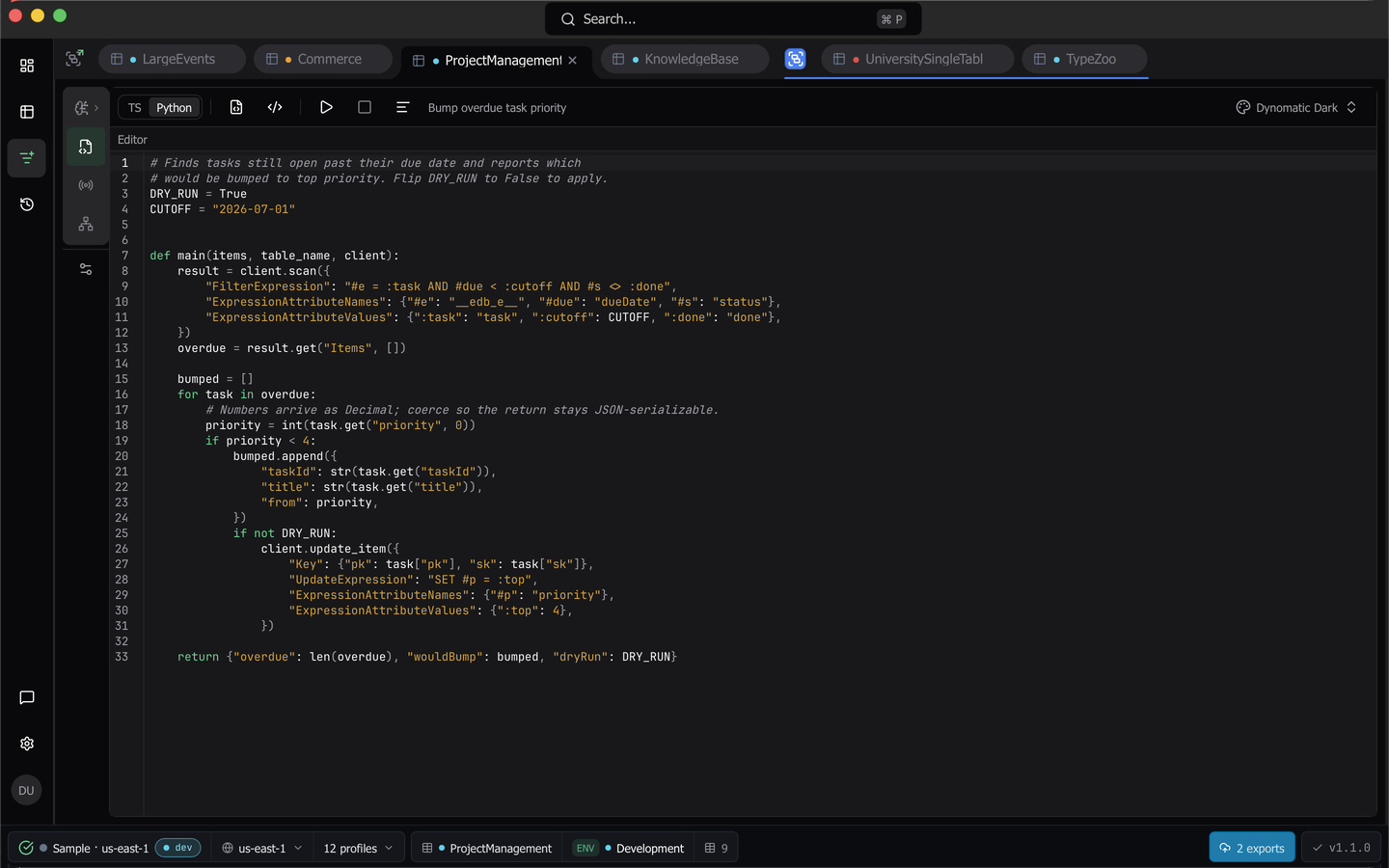
The client exposes one method per operation, each taking a single parameters dict. They are get_item, put_item, delete_item, update_item, query, scan, batch_get, batch_write, transact_get, and transact_write.
def main(items, table_name, client):
    result = client.query({
        "KeyConditionExpression": "pk = :pk",
        "ExpressionAttributeValues": {":pk": "USER#001"},
        "Limit": 25,
    })

    rows = result.get("Items", [])
    print(len(rows), "items returned from", table_name)

    return [{"pk": row["pk"], "sk": row["sk"]} for row in rows]
Ruff formats the buffer and reports diagnostics live, and a run stays interruptible even inside a tight CPU loop.
Writes ask before they run
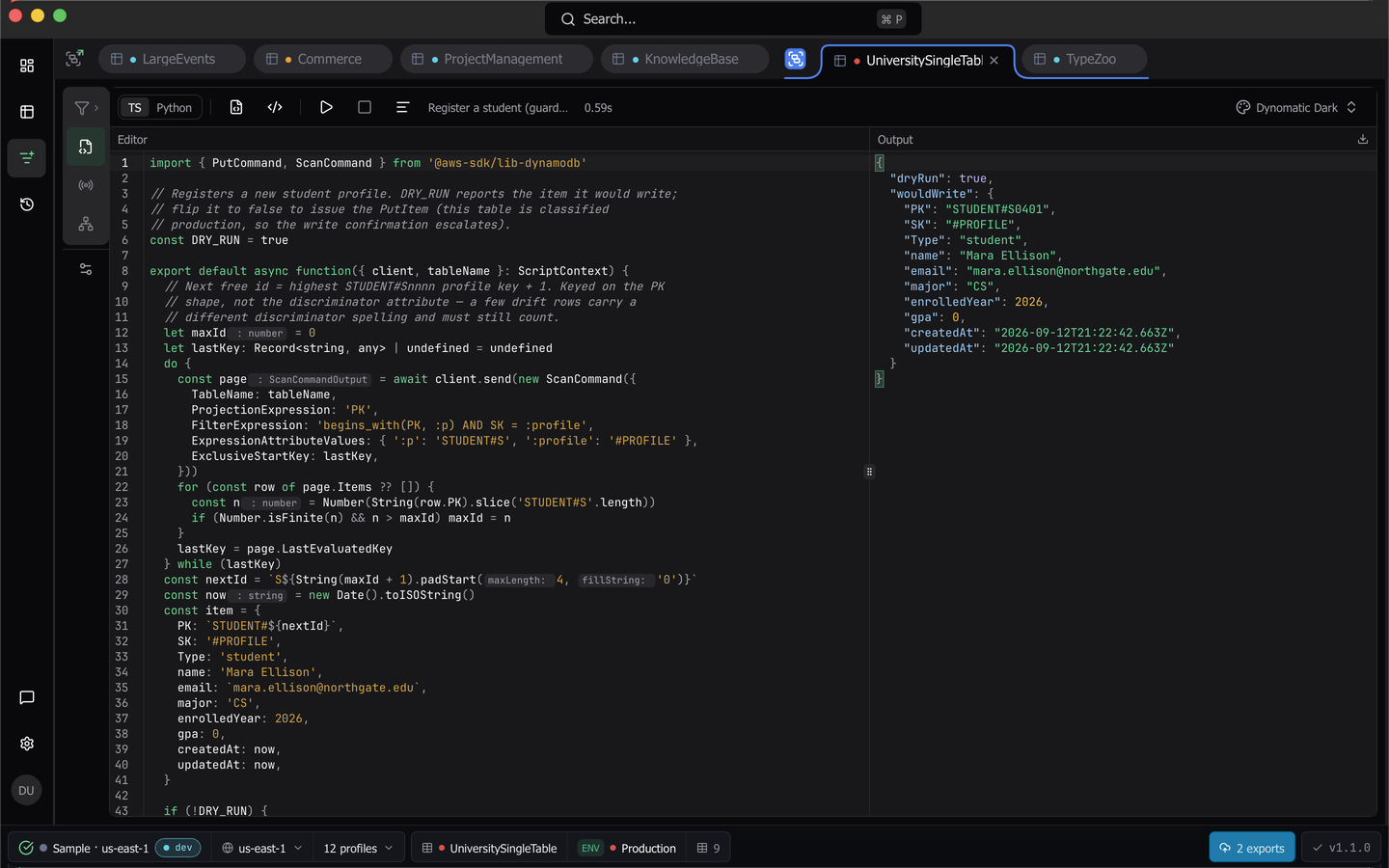
Before a run, Dynomatic scans the source for Put, Delete, Update, BatchWrite, and TransactWrite operations. If it finds one, a This script writes to DynamoDB dialog names the workspace and the bound table, and the run starts only when you choose Run script. On a table classified as production the dialog adds that the workspace is classified as production and the confirm turns destructive. The code you confirmed is exactly the code that runs.
Snippets, saved scripts, and output
Insert snippet inserts at the caret from three catalogs, Read Operations, Write Operations, and Transform Items, in the current language. Clear the buffer first, or the starter template’s import lines stay behind and break the run.
The Scripts menu holds Save, Save As…, every saved script by name, Open from File…, and Save to File…, and loading a saved script over an edited buffer asks first. Save output to file writes the result pane’s JSON to disk.
Limits
- Source is capped at 1 MB.
- At most 10,000 grid rows are bound to
items. - A run times out after 120 seconds, and the QuickJS runtime is capped at 50 MB.
- One run at a time. Stop cancels the run in flight.
Numbers, binary, and sets
Integers beyond Number.MAX_SAFE_INTEGER arrive as BigInt in TypeScript and as int in Python, and are written back as DynamoDB numbers, so keyed writes and pagination over large numeric keys pass through unchanged. JSON.stringify renders them as digit strings.
A decimal a double cannot hold exactly arrives carrying its original digits. In TypeScript it is a plain string and is written back as a string, so to store it as a number again pass { "$n": "<digits>" }. In Python it is a DynoNumber, a str subclass written back as a number as long as you pass it through unchanged, where any string operation yields a plain str that is written as a string.
Binary attributes arrive as Uint8Array in TypeScript and bytes in Python, and can be written back the same way.
Sets (SS, NS, BS) arrive as a Set in TypeScript and a set in Python. Their members are typed like single values: strings, numbers (bigint or int when large) or binary. A Set, set or frozenset is written back as a string, number or binary set, chosen by its members, so a read-modify-write keeps a set a set. Duplicate members are dropped, and number members compare by value, so 1 and 1.0 are one member. Writing an empty set, or a set that mixes member types, fails that call with an error that names the attribute, because DynamoDB stores neither.
To index a set or call array methods on it, copy it first with [...item.tags] or Array.from(item.tags) in TypeScript, or list(...) or sorted(...) in Python. Sets arrived as arrays before 1.2.0, so a script written for an earlier version that indexes a set needs this change. A number set read from DynamoDB writes back as a number set with its exact digits, with or without members added. A copy made with new Set(...) loses that, so its decimal strings are written as strings.
Warning: Dynomatic carries binary values, large numbers and sets internally as the single-key objects
{ "$b": ... },{ "$n": ... }and{ "$set": [...] }. A map attribute whose only key is$bor$n, or$setholding an array, is read as that type and, if written back, stored as that type. Use a different key name.
Saved output files keep that internal form. The output pane shows binary values as <Binary N bytes ...>.
Last updated on