Virtual fields
Presets and display formats
Every preset the field dialog offers and what it computes, and every display format with its settings.
A preset is a form that writes a JSONata expression. A display format changes how a cell draws a value. Create a virtual field shows how to use both.
Presets
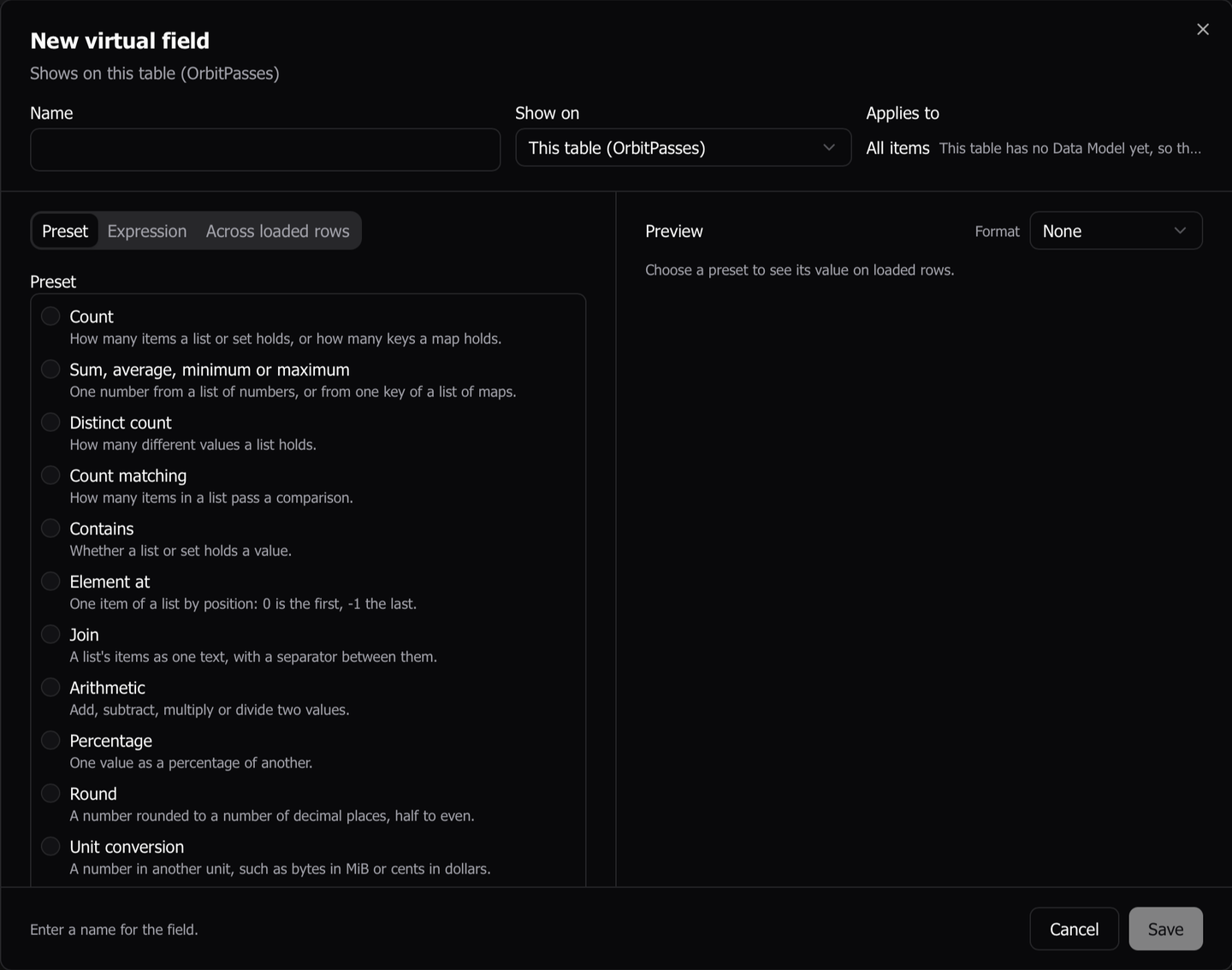
The field dialog’s Preset tab offers 22 presets, in this order when it lists them all.
| Preset | What it computes |
|---|---|
| Count | How many items a list or set holds, or how many keys a map holds. |
| Sum, average, minimum or maximum | One number from a list of numbers, or from one key of a list of maps. |
| Distinct count | How many different values a list holds. |
| Count matching | How many items in a list pass a comparison. |
| Contains | Whether a list or set holds a value. |
| Element at | One item of a list by position. 0 is the first, -1 the last. |
| Join | A list’s items as one text, with a separator between them. |
| Arithmetic | Two values added, subtracted, multiplied or divided. Each value is an attribute or a number. |
| Percentage | One value as a percentage of another. |
| Round | A number rounded to a number of decimal places, half to even. |
| Unit conversion | A number in another unit, such as bytes in MiB or cents in dollars. |
| Threshold flag | True or false, whether a value passes a comparison. |
| Epoch to date | An epoch time as an ISO 8601 date and time in UTC. The display format shows it in local time. |
| Duration between dates | The time from one date to another. |
| Concatenate | Several values as one text. A missing value is skipped. |
| Key segment | One part of a key split on a delimiter. 1 is the first, -1 the last. 0 is refused. |
| Regex extract | The text a regular expression matches, or one of its groups. |
| Nested path | A value inside a map. |
| JSON string path | A value inside a JSON document stored as text. |
| Type of | The type a value is stored as: string, number, boolean, array, object or null. |
| Coalesce | The first of several attributes that is present. A stored 0 or false counts as present. |
| Lookup table | A label for each stored value, such as Shipped for S. |
How the list is ordered
When the dialog opens from an attribute, the presets that suit it come first and Show all presets lists the rest. A preset suits an attribute when it takes the attribute’s declared type, a type the schema registry saw in it, or a pattern the registry found, such as a timestamp, JSON text or a composite key. A field not derived from an attribute lists every preset.
What a preset field keeps
- Percentage and Epoch to date set a display format when you pick them, unless a format is already chosen.
- A preset field reopens in its form.
- Convert to expression turns the field into an expression. The change is one way, and the form does not come back.
- A field saved with a preset this version does not know reopens as its expression, with a notice.
The Orbit sample uses five presets. OrbitSatellites has Epoch to date for its launch date, Nested path for orbit.periodMin, and Threshold flag for a polar orbit, orbit.inclinationDeg >= 80. OrbitPasses has Arithmetic for a pass’s duration in minutes, and OrbitGroundStations has Join for a station’s bands.
Display formats
The Format select in the preview’s header offers None and these formats.
| Format | What it draws | Settings |
|---|---|---|
| Number | A number with a fixed number of decimal places, or every digit it holds | Decimal places, with Automatic for every digit. Group thousands |
| Currency | A number in an ISO 4217 currency, in the app language’s style. 1234.5 in USD draws $1,234.50 |
Currency, searchable by name or code. Decimal places |
| Percent | A number as a percentage | Stored as: A fraction (0.25 shows 25%) or Points (25 shows 25%). Decimal places |
| File size | A byte count in bytes, kB, MB, GB, TB or PB, with one decimal place. Under 1 kB it reads like 142 bytes |
Units: 1 kB is 1,024 bytes or 1 kB is 1,000 bytes |
| Date | A date, a date and time, or a time. Text is read as ISO 8601 | Show: Date, Date and time or Time. Time zone: UTC or This computer’s time zone. A number counts: Seconds since 1970 or Milliseconds since 1970 |
| Time ago | How long ago or how far ahead a time is. Every such cell updates each minute | A number counts, as for Date |
| Badge | A colored pill for each listed value, matched by its text | One color per value, from Blue, Violet, Emerald, Amber, Cyan, Pink, Teal, Orange, Indigo and Lime. Any other value gets a color or No badge. Add N values from the preview |
| Link | A link built from a template. A click, Enter or a double-click opens it in your browser | URL template, which must contain {value}. Only http and https links open |
Rules every format follows
- A format changes only the drawing. Sort, search, Copy Value, export and agents read the stored value.
- A value that does not suit its format, such as text under Number, draws as stored.
- A formatted cell’s tooltip shows the stored value.
- The value viewer shows the formatted text, then the stored value under it when the two differ.
- A format this version cannot read draws the value as stored. Editing the field shows None and a notice, and saving keeps the stored format until you pick another.
- In a Link template, the value replaces
{value}URL-encoded, or as written when the template is only{value}. Any result that is not an http or https link draws as text.
Related columns have no display format. A collection column’s aggregate takes a format when you add it in the link dialog.
Last updated on